Consultation Widget
The Consultation widget is a pre-built UI component that provides a complete recording interface for capturing and processing medical consultations. This widget includes microphone selection, recording controls with pause/resume functionality, real-time audio visualization, and automatic summary generation.
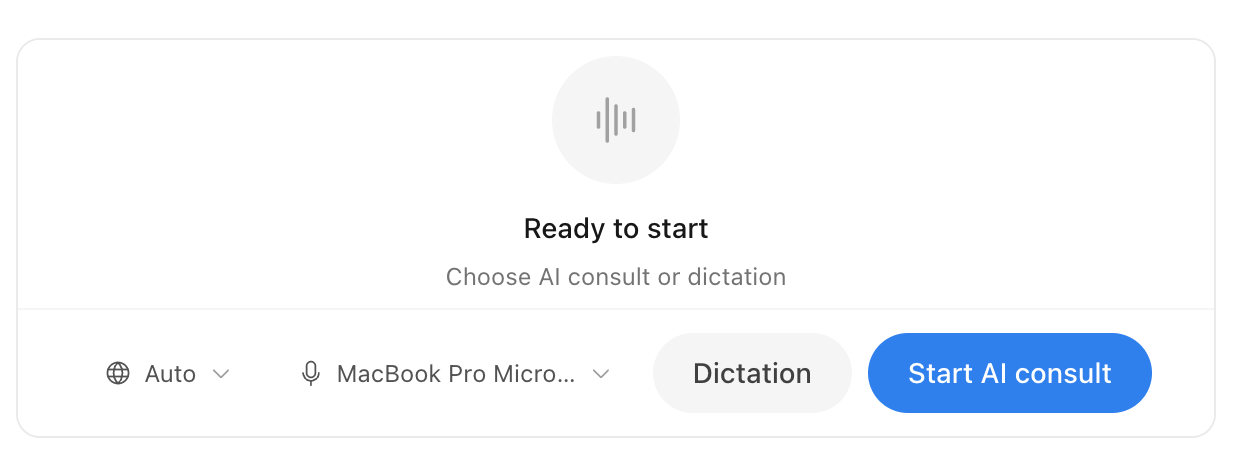
Features
- Microphone selection from the available audio input devices
- Recording controls to start, pause, resume and stop
- Real-time waveform visualization with audio level detection
- Theming of colors, border radius and font
- Configurable interface and input language
- Template support for structured output
- Events for the widget lifecycle and results
Widget state flow
The widget manages multiple states to handle different scenarios and user interactions. Understanding this flow helps you integrate the widget effectively and handle events appropriately.
View microphone permission flow
The widget first requests microphone access before any recording can begin.
View AI consultation flow
Once microphone permission is granted, users can start an AI consultation session.
View dictation flow
Alternatively, users can start a dictation session for simple transcription.
Basic usage
HTML setup
First, create a container element where the widget will be mounted:
<div id="squire-ai-consult"></div>Initialize the SDK
Then, initialize the Squire SDK. See the usage documentation for more detail.
const squire = new Squire({
  token: 'REPLACE_WITH_ACCESS_TOKEN',
  outputLanguage: 'en',
});
Mount the widget
After initializing the Squire SDK, mount the widget using the mountWidget method:
const widget = squire.mountWidget('#squire-ai-consult', 'ai-consult');The method takes three parameters:
- Container selector: A string CSS selector of the container element
- Widget name: The string
'ai-consult' - Configuration object (optional): Customize behavior and appearance
Configuration options
The widget supports extensive customization through configuration options. You can pass these options as the third parameter to mountWidget:
const widget = squire.mountWidget('#squire-ai-consult', 'ai-consult', {
  locale: 'en',
  templateId: 'YOUR_TEMPLATE_ID',
  theme: {
    colorPrimary: '#337ab7',
    colorDark: '#212529',
    colorLight: '#236aa7',
    colorLightest: '#f8f9fa',
    borderRadius: '0.25rem',
    font: 'Roboto'
  }
});
Configuration properties
Locale
The locale property sets both the widget interface language and the input language for speech recognition. Supported values:
| Language code | Language |
|---|---|
en | English |
nl | Dutch |
fr | French |
de | German |
If no locale is provided, the widget uses the outputLanguage from SDK initialization.
Template ID
The templateId property specifies which template to use for generating the consultation summary. Templates define the structure and sections of the output. See the templates documentation for available options.
Events
The widget emits events to notify your application of important actions. Listen for events using the on method:
widget.on('loaded', () => {
  console.log('Widget is ready');
});

widget.on('summary-ready', (summary) => {
  console.log('Consultation summary:', summary);
});
Available events
Complete example
<!DOCTYPE html>
<html lang="en">
<head>
  <meta charset="UTF-8" />
  <meta name="viewport" content="width=device-width, initial-scale=1.0" />
  <title>Consultation Widget</title>
</head>
<body>
  <!-- Widget container -->
  <div id="squire-ai-consult" style="width: 600px; height: 600px;"></div>

  <!-- Load Squire SDK -->
  <script src="https://cdn.squire.eu/sdk/latest/index.umd.js"></script>
  <script>
    // Initialize Squire SDK
    const squire = new Squire({
      token: 'YOUR_API_TOKEN',
      outputLanguage: 'en'
    });

    // Mount the AI consultation widget
    const widget = squire.mountWidget('#squire-ai-consult', 'ai-consult', {
      locale: 'en',
      templateId: 'YOUR_TEMPLATE_ID',
      theme: {
        colorPrimary: '#337ab7',
        colorDark: '#212529',
        colorLight: '#236aa7',
        colorLightest: '#f8f9fa',
        borderRadius: '0.25rem',
        font: 'Roboto'
      }
    });

    // Listen for widget events
    widget.on('loaded', () => {
      console.log('AI consultation widget is ready');
    });

    widget.on('summary-ready', (summary) => {
      console.log('Summary received:', summary);

      if (summary.report_status === 'final') {
        console.log('Final summary ready!');
      }
    });
  </script>
</body>
</html>