Microphone Quality Test
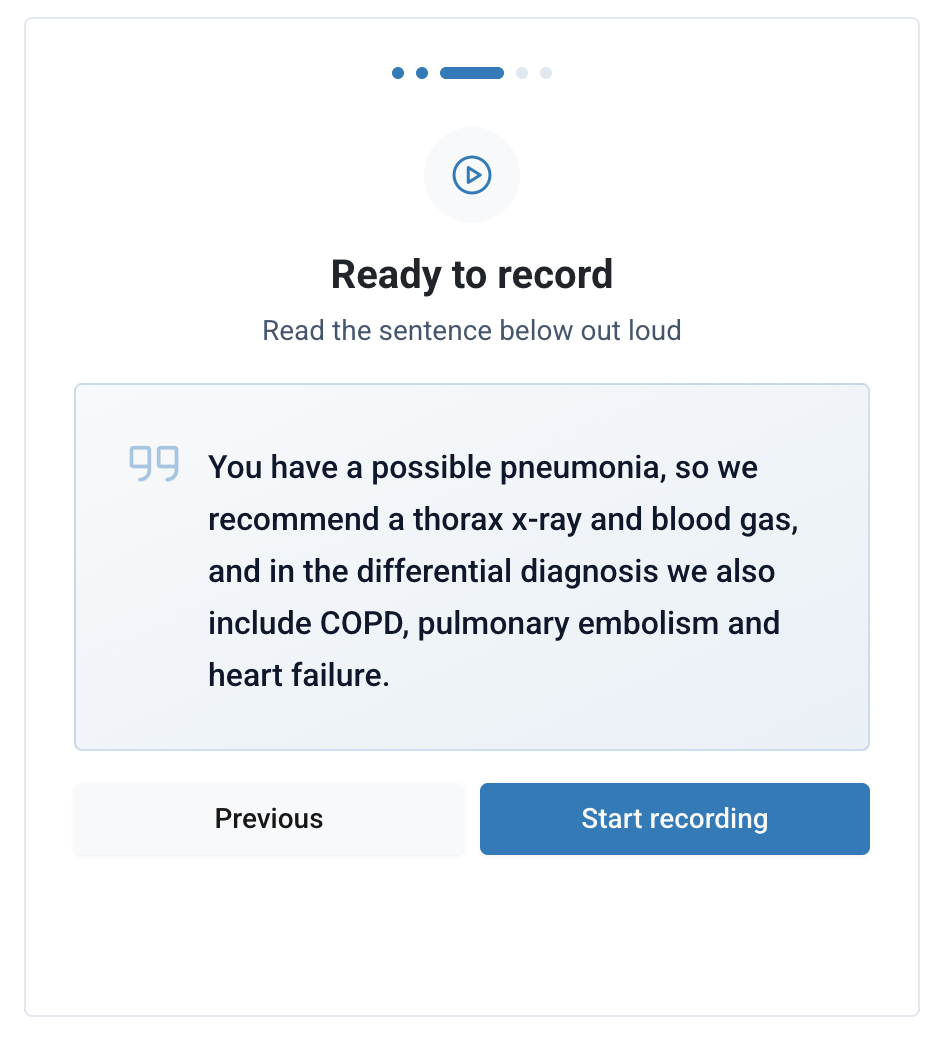
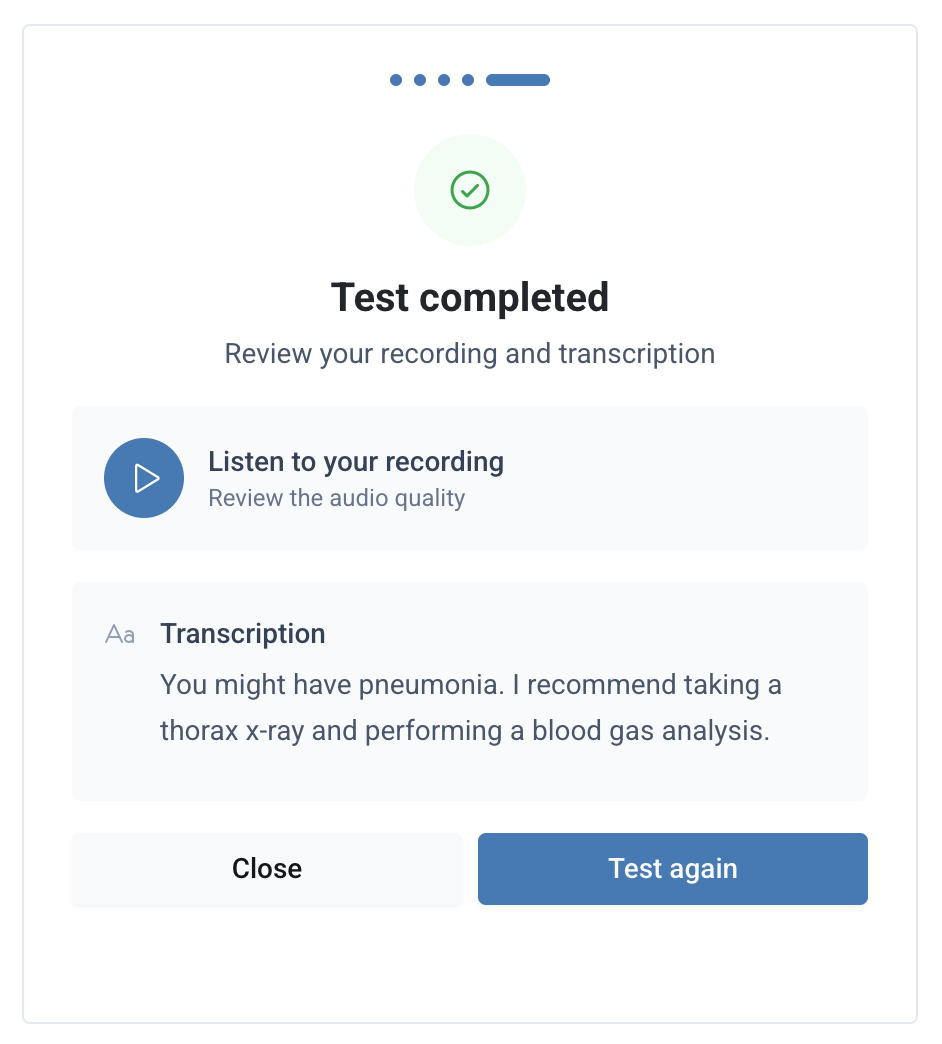
The Microphone Quality Test Widget is a pre-built UI component that allows users to test the quality of their microphone directly within your application. This widget provides an easy-to-use interface for users to check their microphone’s performance, ensuring optimal audio quality.
Overview
The microphone quality test widget helps users verify their audio setup before starting a recording session. It can be embedded directly into your application using the Squire SDK’s mountWidget method.
Basic usage
HTML setup
First, create a container element where the widget will be mounted:
<div id="squire-mic-test"></div>Initialize the SDK
Then, initialize the Squire SDK. See the usage documentation for more detail.
const squire = new Squire({
  token: 'REPLACE_WITH_ACCESS_TOKEN',
  outputLanguage: 'en',
});
Mounting the Widget
After initializing the Squire SDK, mount the widget using the mountWidget method:
const widget = squire.mountWidget('#squire-mic-test', 'microphone-quality-test');The method takes two required parameters:
- Container selector: A string CSS selector of the container element
- Widget name: A string specifying the type of widget to mount
Configuration Options
The widget supports extensive customization through theme configuration. You can pass theme options in the config object as the third parameter to mountWidget:
const widget = squire.mountWidget('#squire-mic-test', 'microphone-quality-test', {
  locale: 'en',
  microphoneLabel: 'MacBook Pro Microphone (Built-in)',
  theme: {
    colorPrimary: '#337ab7',
    colorDark: '#212529',
    colorLight: '#236aa7',
    colorLightest: '#f8f9fa',
    borderRadius: '0.25rem',
    font: 'Roboto'
  }
});
Theme Properties
| Name | Type | Default |
|---|---|---|
colorPrimary | stringPrimary color for buttons and accents. | '#539DD6' |
colorDark | stringDark color for text and borders. | '#0C2639' |
colorLight | stringLight accent color for hover states. | '#7CC1F6' |
colorLightest | stringLightest color for backgrounds. | '#E1F1FD' |
borderRadius | stringBorder radius for UI elements. | '0.5rem' |
font | stringFont family for the widget. All Google Fonts are supported and loaded from https://fonts.google.com/ | 'system-ui, sans-serif' |
Locale
The locale property allows you to set the language for the widget’s interface. Supported values include:
| Language code | Language |
|---|---|
en | English |
nl | Dutch |
fr | French |
de | German |
If no locale is provided, the widget will use the value of outputLanguage as the default locale.
Microphone Label
The microphoneLabel property allows you to preselect a specific microphone device by its label. This is useful in scenarios where the mic selection is shown next to the quality test, so the view does not need to be duplicated.
This parameter is optional; if not provided, the widget will display the default microphone selection UI.
Events
Widgets emit events to notify your application of certain actions. You can listen for these events using the on method:
widget.on('loaded', () => {
  console.log('Mic quality test widget loaded');
});
Available Events
| Event Name | Description |
|---|---|
loaded | Emitted when the widget has loaded. |
Complete Example
<!DOCTYPE html>
<html lang="en">
<head>
  <meta charset="UTF-8" />
  <meta name="viewport" content="width=device-width, initial-scale=1.0" />
  <title>Microphone Quality Test</title>
</head>
<body>
  <!-- Widget container -->
  <div id="squire-mic-test" style="width: 600px; height: 600px;"></div>

  <!-- Load Squire SDK -->
  <script src="https://cdn.squire.eu/sdk/latest/index.umd.js"></script>
  <script>
    // Initialize Squire SDK
    const squire = new Squire({
      token: 'YOUR_API_TOKEN',
      outputLanguage: 'en'
    });

    // Mount the microphone quality test widget
    const widget = squire.mountWidget('#squire-mic-test', 'microphone-quality-test', {
      locale: 'en',
      theme: {
        colorPrimary: '#337ab7',
        colorDark: '#212529',
        colorLight: '#236aa7',
        colorLightest: '#f8f9fa',
        borderRadius: '0.25rem',
        font: 'Roboto'
      }
    });

    // Listen for the 'loaded' event
    widget.on('loaded', () => {
      console.log('Mic quality test widget loaded');
    });
  </script>
</body>
</html>